Freelance video producers work with clients, create video content, make revisions, meet deadlines, and continually acquire new projects. The traditional production tasks can take hours to get the first draft to a client. By converting written prompts and references into video scenes, Dreamina AI can help streamline the visual development process. Its generation and editing tools allow for one-stop exploration of concepts, the creation of drafts, and creative refinements. A repeatable workflow can eliminate unnecessary steps in production and ensure that necessary quality control measures are in place. It’s not just about making more videos; it’s about creating more approved videos in an efficient way.
Identify the Freelance Video Tasks That Consume the Most Time
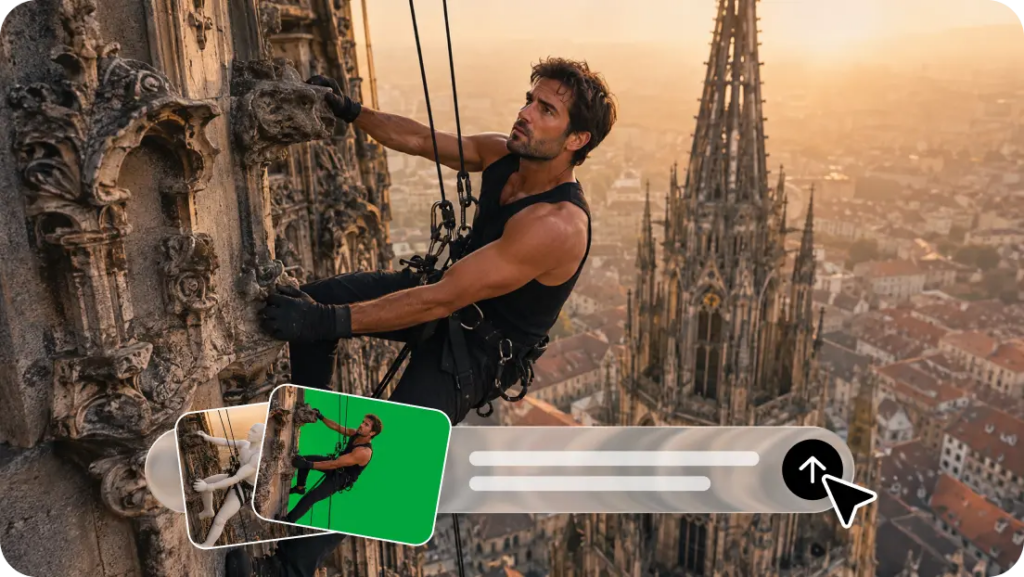
Freelancers can use AI to identify production bottlenecks and deliver tangible value. Dreamina AI text to video generator offers you to generate video with text, which converts textual descriptions into drafts of videos, eliminating the need for new recordings for each idea.
The typical time-consuming tasks are:
- Concept development: Interpret client briefs into visual instructions to prevent investing big production dollars in an unclear concept.
- Storyboard prep: Create ‘moving references’ for clients to review scenes prior to approving the creative direction.
- Footage creation: Create illustrative footage; do not physically shoot all of the initial ideas.
- Creative variations: With updated prompts, try different lighting, backgrounds, camera moves, and visuals.
- Revision management: Focus on specific visual issues without needless reconstruction of a concept.
Reserve time for editing, captions, audio checks, and checking the export.
But AI generation is appropriate for some projects but not others. Additional references, conventional footage, or careful manual editing may be necessary to produce exact product detail, approved brand assets, and specific human performances.
Build a Repeatable Freelance Production System With Text-to-Video AI
A repeatable production system allows workloads to be organized more easily between different clients and deliverables. Begin with a short brief explaining who you are, where you are going to post it, the direction you want it to take, the deadline, and the desired format. Break down each project into ‘clear’ shots, with each shot having one distinct purpose. Create reusable prompts for camera movements, lighting, pacing, backgrounds, and visual style. Write up short drafts initially and then build on good ideas. Create folders based on the client and the level of the project, version, and approval status to avoid confusion. Prior to delivery: Check continuity, quality, and technical terms of the asset, and the client’s requirements. This process enhances predictability but does not ensure any number of projects per week.
Steps to Deliver More Freelance Projects Each Week With Text-to-Video AI
Step 1: Turn a client brief into a clear video prompt
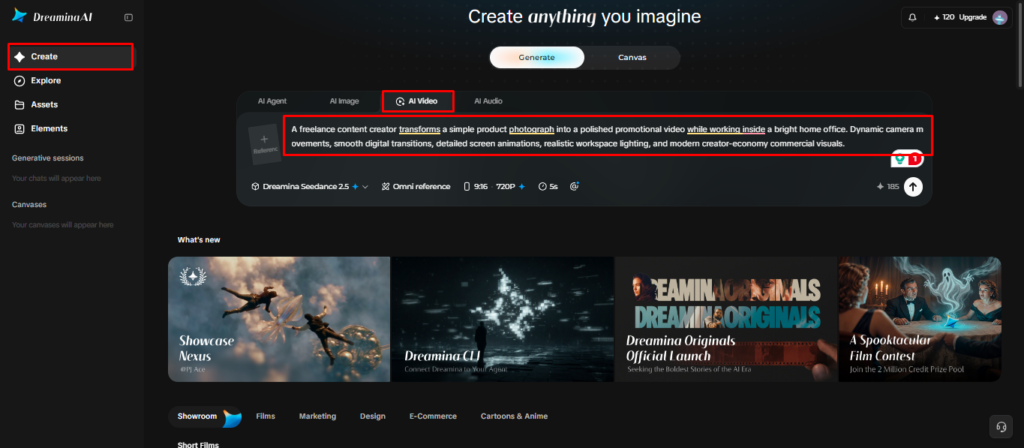
- Sign up or log in to Dreamina so you can turn client briefs into videos.
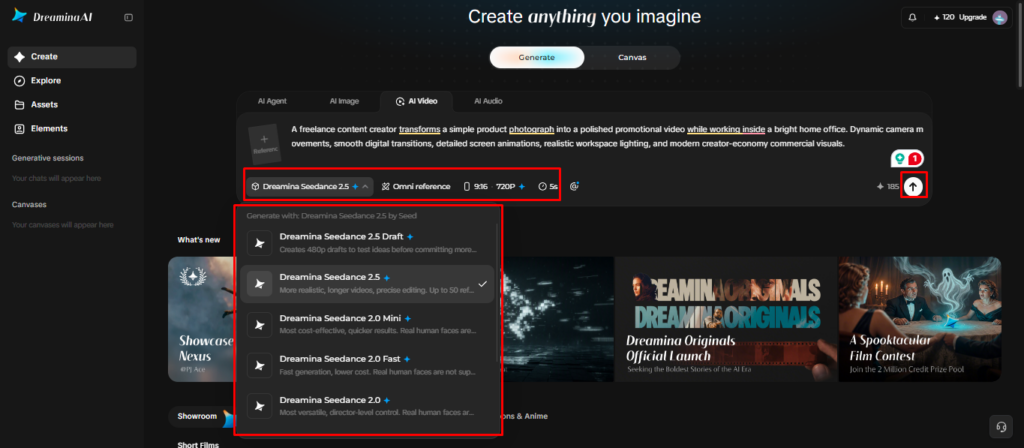
- Then open the “Create” tab in the left menu and pick the “AI video” option.
- Write a detailed prompt covering video elements, sound, background, theme, and concept for your client.
Step 2: Pick the right model and settings for fast delivery
- Next, choose a model from the options shown at the bottom of the dialogue box.
- Select from Dreamina Seedance 2.5, Dreamina Seedance 2.0, Dreamina Seedance 2.0 Fast, Dreamina Seedance 2.0 Mini, Dreamina Seedance 1.0, and other models.
- Click “Omni reference” to add several client images, which helps the AI match their brand accurately.
- Set a custom size and quality from the “Aspect ratio” and “Resolution” tabs for each platform.
- Finally, hit the “Generate” tab to start creating the first draft of your project.
Step 3: Polish the draft and send it to your client
- If the client dislikes the draft, use “Edit prompt” or “Regenerate” to improve the results quickly.
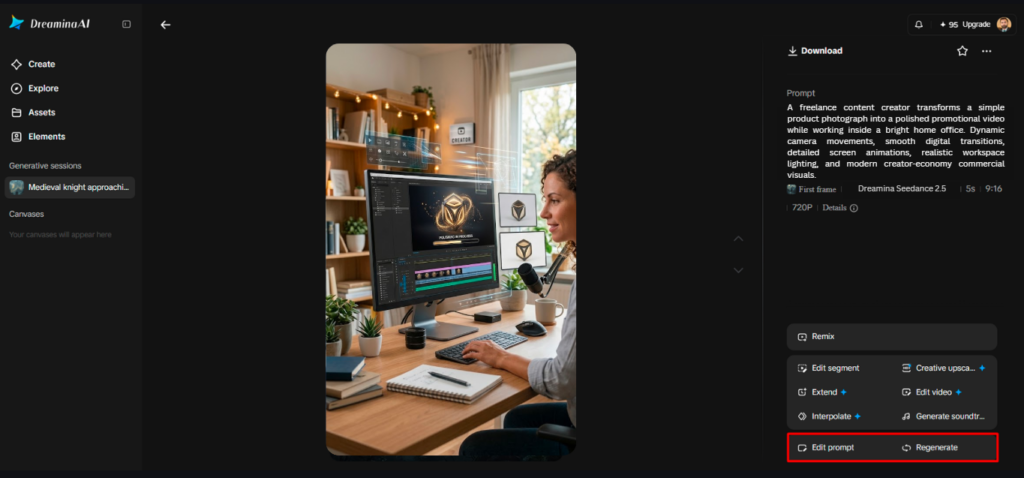
- You can also change the finished clip through the “Edit video” option without starting over.
- Moreover, use “Edit segment” to fix only one section while keeping the rest untouched.
- Lengthen short clips with “Extend video”, or sharpen the picture quality with “Creative upscale” before delivery.
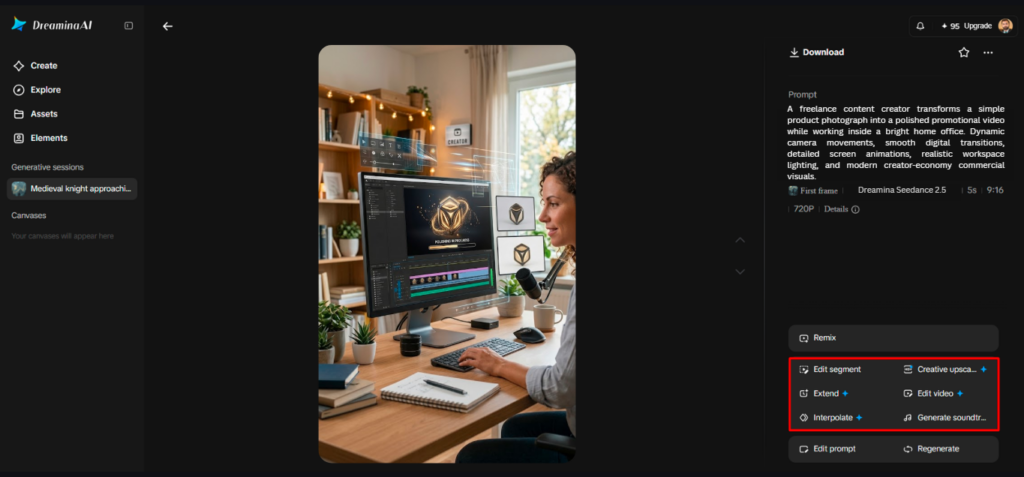
- Dreamina gives you complete freedom to shape every video the way your client likes.
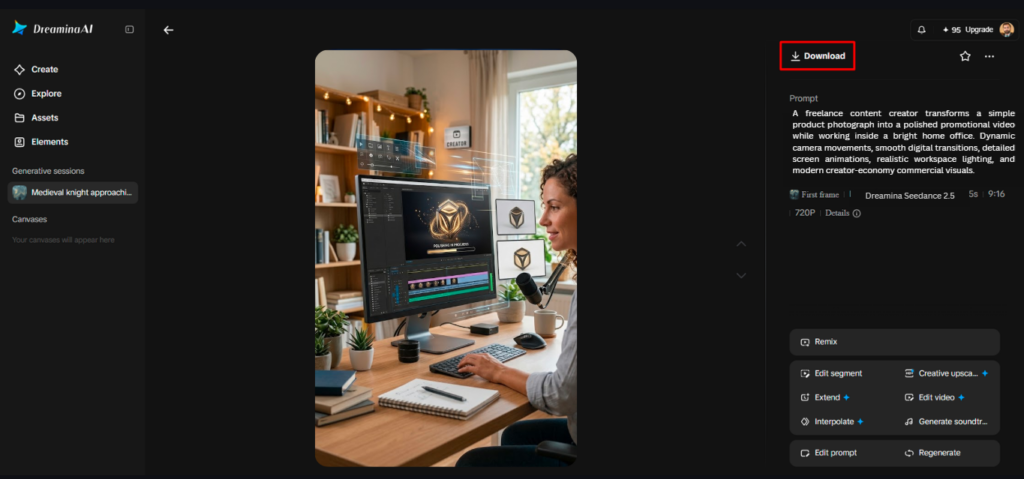
- Finally, click the “Download” tab at the top right of the interface to save the file on your local device.
Package Faster Video Production Into Clear Freelance Services
Clearly defined services and realistic deliverables and boundaries can be supported by an efficient workflow. Freelancers can provide concept-to-draft packages for companies looking to generate ideas or packages for social media that have an agreed number of videos per month. Agencies might require animated concepts, storyboard references, and pre-visualisation assets prior to going into full production. When product details are important and can be recognized in the imagery, they can be included in the product promotion packages. When budget and schedule allow, other creative variations can be stand-alone deliverables. Set pricing, revision requirements, file types, and timeframe before picking up projects. Describe when additional visuals are needed and must be approved by the client. Having a service description that is transparent for clients makes them realize that the creative direction is essential, and AI generation cannot replace every production skill.
Reduce Revision Loops Without Compromising Creative Standards
Freelancers don’t need to keep redoing tasks due to instructions that are not clearly understood with structured feedback. Invite clients to point out areas they think need improvement—lighting, framing, pacing, background elements, etc. Turn those comments into specific edits in prompts, rather than making a number of random edits at once. In localized editing mode, Dreamina AI allows for Edit segment when available, which lets you make precise edits to the chosen sections. Keep versions of documents for clients to compare and see what directions were approved. Review all scenes for character consistency, continuity of movement, typography, and product representation. There are still some instances where clips may need to be manually edited, synced to audio, dubbed, and compiled. Set revision limits and make sure that a new direction of creativity will take extra time and/or money.
Measure Weekly Productivity Beyond the Number of Videos Generated
The number of clips created isn’t a definitive measure of increased freelance productivity for a workflow. Record the time for briefing, prompting, generation, editing, and delivery. Document first draft acceptance rates and how many rounds of revisions are needed for each project. Track generation credits and other production costs to know the true cost of each deliverable. Compare finished, quality-approved projects, not all the variations created! Check such measures weekly for trends of prompt delays, and adjust prompt measures. If you find that generation is taking a longer time but there is not much correction work, tweak the workflow. The point is more completed work that meets agreed requirements – not faster creation of draft work.
Conclusion
Freelance video creators can use Dreamina AI to generate video concepts, draft videos, and edit scenes with flexibility. A more manageable production process is facilitated using reusable prompts, focused generation, organized versions, and structured feedback. But reliable delivery will always require creative judgment, technical review, and effective client communication. Start with one clear project type and determine true time saved vs. editing fees. Increase the workflow only as long as quality, timing, and project economics are maintained. This way, the creative space becomes more available and doesn’t compromise professional quality.