
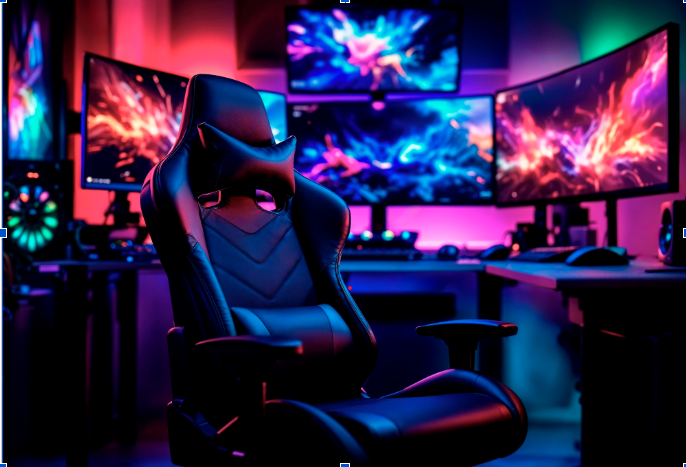
Gaming sessions can last for several hours, which makes the design of a chair important for comfort and posture. A chair may look impressive, but its back support can have a greater effect on long-term comfort during extended use.
Gaming chair back support generally comes from several features, including the shape of the backrest, lumbar support, padding, recline function, and adjustability. These features work differently depending on the chair design and the user’s needs.
There is no single support system that suits every gamer. Height, body shape, sitting habits, desk setup, and preferred gaming position can all influence which chair feels most comfortable.
What is Lumbar Support
Lumbar support is designed to support the lower part of the back.
Some gaming chairs include a separate lumbar cushion, while others have built-in lumbar support integrated into the backrest. More adjustable designs may allow users to change the position or firmness of the support.
A separate cushion can be useful because it can be moved to find a more comfortable position. However, a cushion that is too large, too firm, or positioned incorrectly may feel uncomfortable rather than supportive.
Built-in lumbar systems can provide a more consistent shape, although the level of adjustment varies between chairs.
Built-In vs Removable Lumbar Cushions
Both built-in and removable lumbar support have advantages.
A removable cushion gives users more control over its position and can be replaced if they prefer a different shape or firmness.
Built-in support generally creates a cleaner chair design and avoids the need to reposition a loose cushion. Some chairs also use adjustable mechanisms that allow the lumbar section to be moved or modified without removing it.
The important factor is whether the support fits the user’s lower back comfortably rather than simply whether the chair includes a particular type of cushion.
The Role of the Backrest
The backrest itself contributes significantly to overall support.
A well-designed backrest should provide enough surface area to support the upper and lower back without forcing the body into an uncomfortable position.
Some gaming chairs use a high-back design that extends toward the shoulders and head. This can provide greater support for the upper body, particularly for people who prefer to lean back while gaming.
The width of the backrest also matters. A narrow design may feel restrictive for some users, while a wider backrest can provide more freedom of movement.
Reclining Backrests and Adjustable Positions
Many gaming chairs include a reclining backrest.
A recline function allows the user to change the angle between the seat and backrest rather than remaining upright throughout the entire session.
Different activities may call for different positions. Someone playing a competitive game may prefer a more upright position, while a more relaxed position may be comfortable when watching videos or taking a break.
Reclining can also allow users to change their posture periodically instead of maintaining one position for hours.
However, a reclining function does not automatically make a chair more supportive. The mechanism should operate smoothly and allow the backrest to remain stable at the selected angle.
Seat Height and Back Support
Back support cannot be considered separately from seat height.
If the chair is too high or too low for the desk, the user may compensate by raising their shoulders, leaning forward, or adopting another uncomfortable position.
Ideally, the chair should allow the user’s feet to rest comfortably while allowing the arms to reach the desk comfortably. Without excessive shoulder tension.
Adjustable seat height can make it easier to match the chair to the desk and the user’s body proportions.
Adjustable Armrests Also Matter
Although armrests do not directly support the back, they can influence overall sitting posture.
When armrests are positioned appropriately, they can support the arms and reduce the need to hold them in the air while using a keyboard or mouse.
Adjustable armrests can be moved to suit different desk heights and sitting positions.
The ideal setup depends on the individual, but the goal is to avoid forcing the shoulders upward or causing the user to lean forward unnecessarily.
Material and Padding
The materials used in a gaming chair can affect how the back support feels.
Foam padding provides cushioning, while mesh allows greater airflow and can feel different against the back.
Some gaming chairs use synthetic leather or other upholstery materials. These can provide a firm, structured feel, although breathability may vary.
More padding does not necessarily mean better support. Excessively soft padding may allow the body to sink into the chair, while very firm padding may feel uncomfortable during longer sessions.
A balance between support and comfort is generally more useful than simply choosing the chair with the thickest padding.
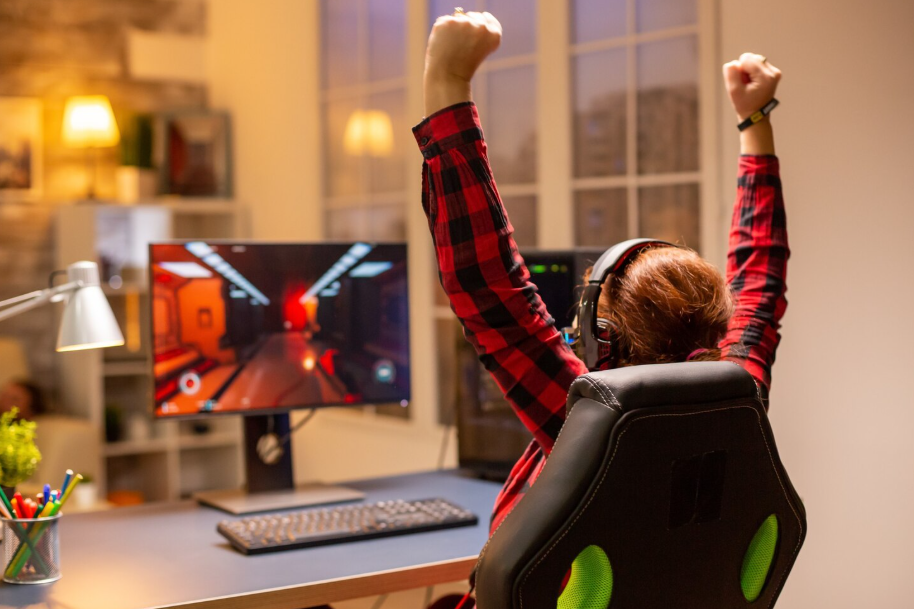
Matching the Chair to Your Height
A gaming chair should be appropriate for the user’s body dimensions.
The position of the lumbar support, height of the backrest, seat depth, and headrest can all affect how well the chair fits.
Someone with a taller frame may find that a standard gaming chair leaves insufficient support around the shoulders or places the lumbar cushion too high.
In contrast, a chair designed for taller users may offer a taller backrest and greater seat dimensions.
Checking the manufacturer’s measurements is more reliable than choosing a chair based solely on a general size label.
Finding a Supportive Sitting Position
Even a well-designed gaming chair cannot compensate for an unsuitable sitting position.
Sit with your back supported rather than constantly leaning toward the screen. Keep the monitor at an appropriate height and position the keyboard and mouse so that you do not need to reach excessively.
It is also useful to change position regularly. Remaining in the same posture for several hours can become uncomfortable regardless of how supportive the chair is.
Taking short breaks to stand, walk, and move around can also make long gaming sessions more manageable.
Conclusion
Gaming chair back support involves more than a single lumbar cushion or a reclining mechanism. The backrest design, lumbar positioning, seat dimensions, recline function, padding, and overall adjustability all contribute to how supportive a chair feels.
The right choice depends on your height, body proportions, gaming habits, and desk setup. Rather than focusing on the number of features, look for a chair that allows you to maintain a comfortable position and adjust the support to suit your body.
A supportive chair can make extended gaming sessions more comfortable, but regular movement and a well-positioned gaming setup remain important parts of good sitting habits.