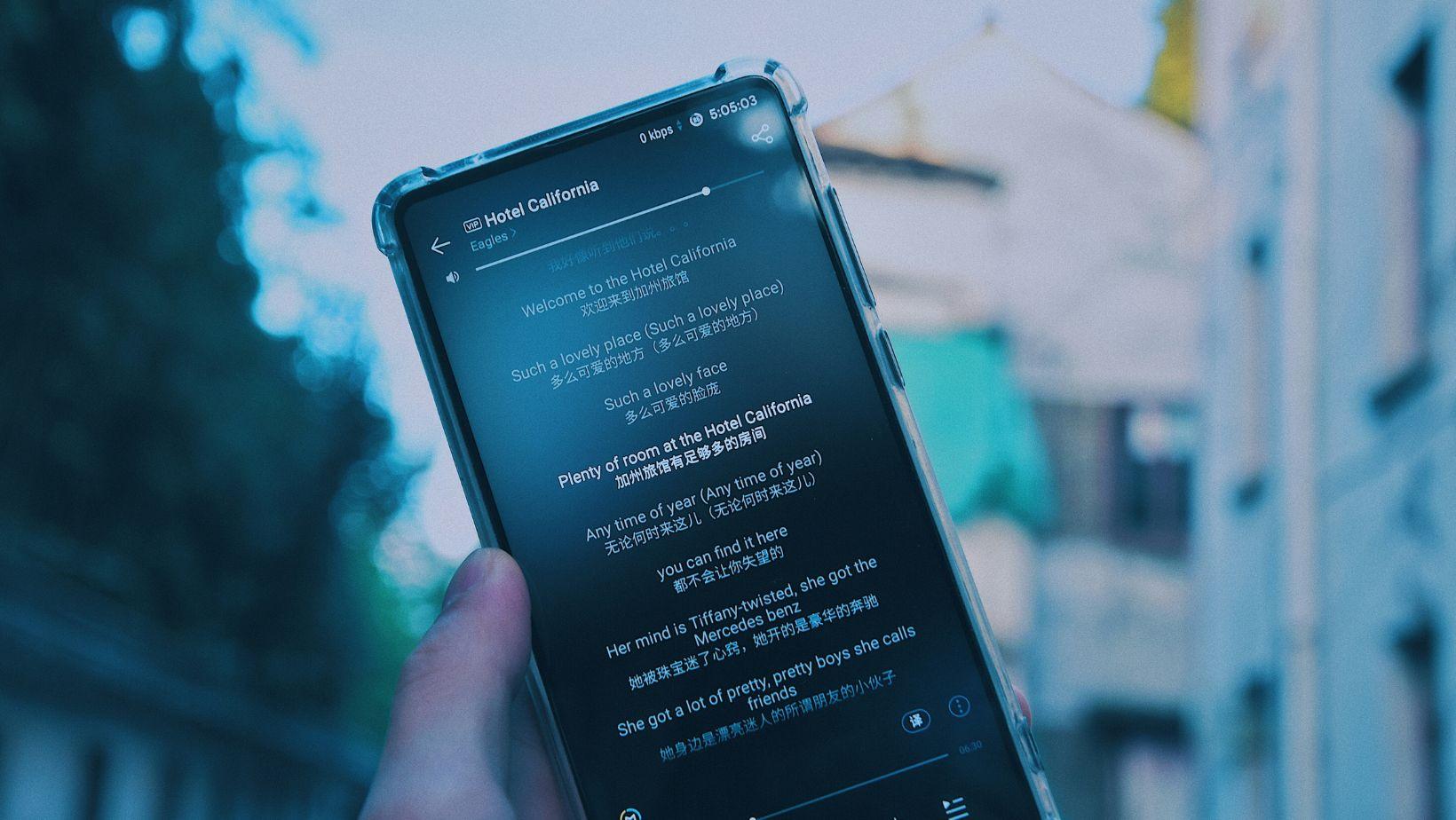
A lyric video used to mean hours of keyframing text to match a vocal, line by line, until the timing finally looked right. That workflow still exists, but a handful of browser tools now handle the syncing automatically, which changes who can put one together before a release date.
For an independent artist or a small label without a motion-graphics budget, the gap between “we should make a lyric video” and “we actually made one” usually comes down to how much manual timing work a tool demands. Here are five options worth knowing, starting with one built specifically around that problem.
Best for Automatic Vocal-Synced Lyrics – EchoWave
EchoWave is a free online video and audio editor that runs in the browser, with auto subtitles in 86 languages, 63 AI voices, audio visualizers, templates, and 4K export. No install and no sign-up are required to start a project.
The lyric video maker is where the audio visualizer work actually earns its keep: upload a song, and the tool transcribes the lyrics and syncs each line to the vocals, so the words land on screen as they’re sung instead of drifting a beat behind. That transcription step is the part that normally eats an afternoon when done by hand.
You’re not locked into the auto-sync result either. You can fine-tune the timing of any line, pick fonts and animations, add a waveform behind the text, and export in vertical, square, portrait, or widescreen for YouTube, Reels, TikTok, and Shorts. That range of export shapes matters for an artist posting the same track across a channel and three short-form platforms without re-cutting it from scratch.
Pricing starts with a free plan, and paid tiers run from $9/month billed annually (or $19/month billed monthly) up to $99/month. For someone who wants a professional-looking lyric video without hiring an editor or learning keyframe animation, this is built around exactly that gap.
Best for All-Around Design Templates – Canva
Canva is graphic design software used widely for everything from social posts to presentations, and its template library extends into video projects as well. An artist already using Canva for cover art or promo graphics can stay in one tool rather than switching apps for a lyric video.
The trade-off is that Canva’s strength is general design work rather than a dedicated audio-to-lyrics sync process, so matching text to a vocal track by hand is more of a manual job here than it is in tools built specifically around that task.
Best for Teams Already in the Adobe Ecosystem – Adobe Express
Adobe Express targets students, educators, teams and content creators with standard photo, video and document editing tools. It gives users access to over 345,000 static and video templates, the Adobe Fonts collection and more than 1 million royalty-free Adobe Stock photos, videos, music tracks and design elements, plus Firefly AI text prompts for photo editing and generative credits.
It carries a 4.6 rating on Capterra, a useful signal for a brand with this much surface area. Pricing starts with a free plan, with paid tiers from $4.99 per user per month or a $9.99/month Premium option.
That stock library and font access make it a strong pick for someone who wants a video built around a consistent brand look across several assets, not just a single lyric clip. The catch is that with a catalog this broad, a lyric-specific workflow is one feature among many rather than the main event.
Best for AI-Driven Talking-Head Content – VEED
VEED is an AI video creation platform aimed at marketers and solopreneurs, built around an idea-to-video workflow. It lets users generate and edit in one pass, create talking heads, edit with AI, dub videos into other languages, and add subtitles automatically.
That subtitle and dubbing combination suits a creator making spoken content for multiple markets more than it suits someone building a music-specific lyric reveal, since the platform’s positioning centers on general video creation rather than audio-to-lyric syncing.
Best for Agentic, Multitrack Editing – InVideo
InVideo calls itself an agentic video editor for serious creatives, including filmmakers, advertisers, microdrama producers and social teams. Its AI agents watch footage and log clips in memory, let an editor direct multiple shots across the timeline in one pass, and support real-time multiplayer collaboration with live cursors.
It also includes storyboarding that turns a script into a shot-by-shot plan, a multitrack timeline editor with AI co-writing, and the option to bring or build custom AI agents using models like ChatGPT, Claude, Grok, or Gemini. An annual billing discount runs through a Black Friday offer of up to 75% off (pay for 12 months, get 24).
That depth is built for multi-shot video projects with several tracks and collaborators, which is more editing muscle than a single-song lyric video typically calls for, and the agent-driven workflow has more of a learning curve than a tool built around one straightforward upload-and-sync step.
Image Credit: Unsplash
What to Check Before You Commit to One
Not every lyric video tool handles the same part of the job. Some automate the transcription and syncing of words to vocals, which is the slowest manual step in the traditional process. Others assume you’ll place and time the text yourself but give you a stronger template or stock library to work from.
Check the export formats too. A track going out on YouTube and TikTok on the same day needs both a widescreen file and a vertical one, and not every editor exports both without extra setup.
Font and animation options matter less for function than for brand consistency across a release. If you’re also producing promo graphics or short clips for the same single, a tool with a wide template and stock library, like the kind covered in guides on image-to-video AI generators for creative visuals, can keep that visual language consistent across formats.
Price structure is the last check. A free plan with a capped export resolution works fine for testing a workflow, but a release-ready 4K file usually needs a paid tier, so it’s worth confirming what each plan actually unlocks before a release date is bearing down on you.
Picking the Right Tool for Your Next Release
If your main obstacle is the manual syncing work, that’s the specific gap EchoWave’s lyric video maker is built to close, since the vocal-to-text sync happens automatically instead of by hand. An artist or small label working against a release deadline, without a motion-graphics person on staff, gets the most direct benefit from that.
If your priority is broader brand design work across a release campaign, Canva or Adobe Express cover more ground outside the lyric video itself. If you’re producing spoken, multi-language content, VEED’s dubbing and subtitle tools fit that use case better. And if you’re managing a multi-shot video project with a team, InVideo’s agentic, multitrack workflow is built for that scale.
For a single song that needs its words on screen, synced and ready to export across platforms, without hours spent nudging timing by hand, EchoWave is the one built around exactly that problem.