

You’ve probably struggled with shifting deadlines, unclear priorities, and disorientation in the team—does that sound familiar?
That’s where visual planning using product roadmaps comes in. It’s not just about timelines and charts; it’s about giving your team a sense of clarity, alignment, and direction. With a visual representation of your strategy, all parties involved—from developers to stakeholders—can see where you’re headed and why it matters.
Whether you are shipping a new feature or rapidly pivoting, an effective roadmap keeps you both agile and focused. Throughout this guide, you’ll learn pragmatic advice on how to enhance your roadmaps so they’re even more effective, collaborative, and actionable.
Here are the tools and strategies for effective product road mapping.
1. Use Product Road Mapping Software
To visually collaborate and plan effectively, you need the right tools, and product road mapping software is a key starting point. Rather than using outdated spreadsheets or documents, road mapping tools provide real-time, interactive spaces where your whole team can remain on the same page.
With road mapping tools, you’ll be able to fast-forward and tailor visual timelines, drop and drag initiatives or features, and adjust priorities in real-time. These tools enable you to filter by product line, timeframe, team, or goal, so executives and developers receive just the focus they require. Most also integrate natively with project management software, supporting gap closing between planning and delivery.
You’ll also appreciate features such as commenting, tagging, and auto-notification, which enable you to collaborate across departments without losing context. Change tracking and version control enable you to store an audit trail of who made a change, what was changed, and why a decision was made.
You remove the uncertainty, duplicate effort, and render your roadmap a living document that expands with your team using specialized software. In other words, you get yourself into place to do smarter, more graphic product planning right from day one.
2. Align Roadmaps with Strategic Goals
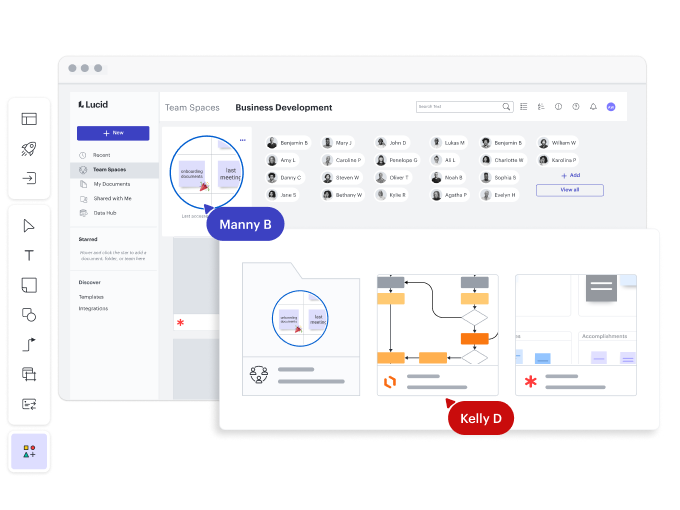
Ensure your product roadmap aligns with your business’s strategic goals to make it effective. It’s not about release or feature planning—it’s about ensuring every piece of content on the roadmap contributes to the grand view. Before adding anything, ask yourself: How does this move us toward our business objectives or fulfill a core customer requirement?
Begin by setting specific goals or OKRs (Objectives and Key Results) at either the product level or organizational level. Next, connect roadmap projects to them. Most road mapping tools help you flag features or epics as strategic priorities, so you immediately have a sense, at a glance, of how your work contributes to larger causes.
By structuring your roadmap in this way, you can prioritize more effectively. It keeps your team focused on achieving actual value rather than simply checking boxes. It makes it a whole lot easier to say “no” to noise that doesn’t drive the needle.
When you roll out your roadmap to stakeholders, connecting initiatives to strategy bridges trust and openness. It indicates you are not acting in a knee-jerk manner—you are creating with purpose. This coordination creates a more compelling story about your product and aligns everyone working toward common success.
3. Visualize by Themes or Value Streams
To make your roadmap more meaningful and helpful, try clustering it by themes or value streams rather than dates or features. When you’re clustering work towards higher-level objectives—“better onboarding,” “better performance,” or “growth in new markets”—you have a clearer sense of what your team is after and why.
This line of thought on themes helps you shift attention away from what you are creating and towards why you are creating it. It helps stakeholders see directly how your projects are generating customer value or strategic results, rather than getting lost in a sea of features. It assists you in changing more easily when priorities change because you are creating outcomes, not against fixed schedules.
You can still use timelines or milestones, but by starting with themes, you provide a more strategic presentation of the roadmap. Almost all road mapping tools enable you to tag or categorize things by themes, so you can filter and display your plan in a way meaningful to various stakeholders.
By viewing value streams, you permit cross-functional teams to consider their contribution within the larger context, and that alignment leads to better collaboration, decision-making, and ultimately, a more influential product.
4. Tailor Views for Stakeholders
Not everyone on your team—or in your organization—needs to see the same version of the roadmap. To communicate effectively, you need to tailor your roadmap views to your audience. Executives care about strategic alignment, timelines, and ROI. Engineers need to understand technical dependencies, workloads, and sprint plans. Sales and marketing want visibility into upcoming features they can promote. Each group has different priorities, and your roadmap should reflect that.
Start by segmenting your roadmap content using filters, tags, or separate views in your road mapping software. Create high-level summaries for leadership that focus on goals, key milestones, and impact. For your development team, include more granular details, such as epics, user stories, and deadlines. For customer-facing teams, highlight upcoming releases and the value they bring to users.
By customizing views, you ensure that each audience gets the clarity and context they need, without overwhelming them with irrelevant details. It also builds alignment and trust because stakeholders feel heard and informed.
When you tailor your roadmap presentation, you’re not changing the plan—you’re communicating it more effectively. This approach fosters better collaboration, faster decision-making, and smoother cross-functional execution. In short, it helps everyone stay on the same page while focusing on what matters most to them.
5. Keep It Flexible and Iterative
Your product roadmap should be a living document, not a fixed plan carved in stone. As priorities shift, customer feedback rolls in, or market conditions change, you’ll need the flexibility to adjust your roadmap quickly and confidently. That’s why it’s essential to treat it as an iterative tool, not a one-time plan.
Build your roadmap with adaptability in mind. Use visual elements like swimlanes, status indicators, and labels to show progress, uncertainty, or dependencies clearly. Make it easy to move items around or update priorities without causing confusion. Most road mapping tools support drag-and-drop adjustments, version control, and integrated feedback loops, so you can evolve your roadmap without losing momentum.
Set regular review points—monthly, quarterly, or by sprint—so your team can revisit and refine the roadmap based on what is working and what is not. Don’t be afraid to re-evaluate or even remove initiatives that no longer align with your goals.
By keeping your roadmap flexible, you can respond more quickly to new opportunities and risks. More importantly, you’ll maintain team trust, because everyone will know the plan isn’t rigid—it’s responsive. That mindset helps your product stay relevant, competitive, and aligned with real user needs.
Bottomline
Visual planning with product roadmaps isn’t just about plotting features—it’s about aligning your team, strategy, and execution in a clear, collaborative way.
When you use the right road mapping software, connect your plan to real goals, organize by themes, stay flexible, and tailor views for each audience, you set your team up for success. Your roadmap becomes more than a plan—it becomes a powerful communication tool.
So, take the time to build it thoughtfully, keep it dynamic, and use it to bring clarity and purpose to your product journey. When done right, your roadmap drives alignment, momentum, and real impact.